HOW TO SYNC PRIVATE TABS
WITH ANY SERVICE USING ZAPIER
🔥 Capture real-time events like:
- When a sale is made
- When a password changes
- When a new account is added or deleted
⚡ Then Instantly Sync That Data To:
- Google Sheets
- Discord groups
- Slack channels
- Send text messages or emails
- Trigger real-world automations
(like flashing office lights)
Follow These Simple Steps in the Video
- Create a
Zapier
account
- Sign up and log in.
- Create a new Zap
- Start a new automation workflow.
- Choose “Webhooks” as the trigger
- Select
Webhooks by Zapier
as your event type.
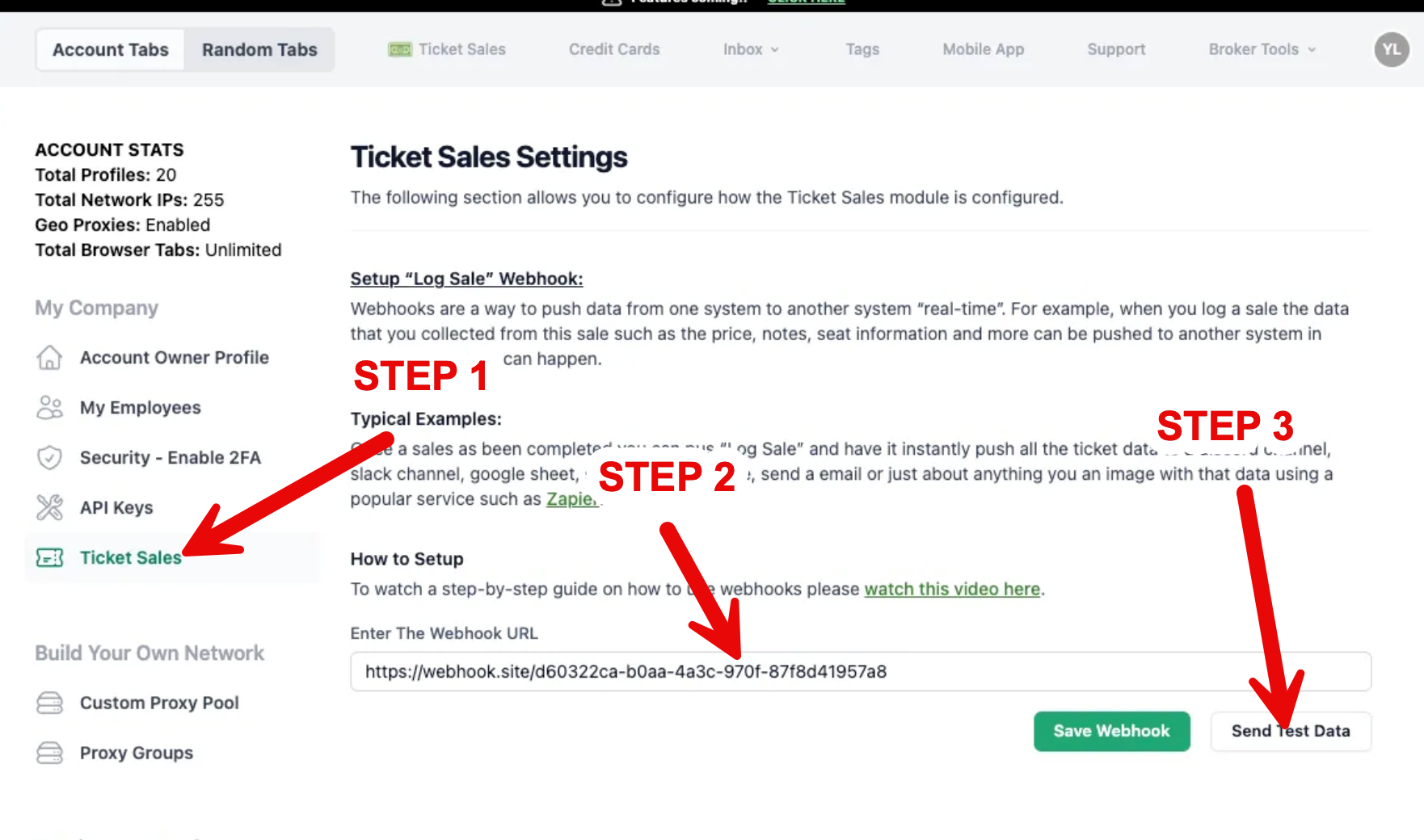
- Copy your webhook URL
- Zapier will generate a unique URL — copy it.
- Open Private Tabs → Settings
- Click Settings
- On the left, select Sales Log Setting - Paste your webhook URL
- Go t1o the Webhooks section
- Paste your Zapier URL into the field
10. Test the connection
- Click the Test button a few times in Private Tabs
- Make sure data is being sent
11. Verify in Zapier
- Go back to Zapier
- Click Test / Refresh
- Confirm the data is coming through correctl
12. Add your actions
- Connect any service you want, such as:
- Google Sheets
- Discord
- Slack
- Twilio (SMS)
- Email or any other supported app
That’s It - Now
Every time a purchase is made, Private Tabs will automatically.
You can now instantly route the POST into any connected app.
Some examples include posting to Discord, Google Sheets, Slack and more!